

Description
Download Screen Extender to iPad – Free Second Screen Software for Windows, Mac, Android & iOS
Looking to boost your productivity with a seamless second screen setup? Screen Extender to iPad is a powerful and intuitive software tool that turns your iPad into a high-performance extended monitor for your Windows PC, Mac, or even Android device. Whether you're working remotely, giving presentations, or simply want more screen real estate, this app delivers a smooth, lag-free experience. With support for multiple devices and platforms, Screen Extender to iPad makes it easy to extend your desktop across devices—perfect for creatives, remote workers, and multitaskers. The software is free to download, secure, and regularly updated for optimal performance and compatibility.
Why Screen Extender to iPad Is a Must-Have Productivity Tool
In today’s fast-paced digital world, screen space is one of the most valuable assets for professionals and casual users alike. Screen Extender to iPad stands out as a versatile and reliable solution for extending your primary display onto an iPad. Unlike traditional HDMI or VGA cables, this software-based approach eliminates the need for extra hardware, making it ideal for travelers, remote teams, and home office setups. The app leverages your existing Wi-Fi network to wirelessly connect your iPad to your computer, enabling you to use your tablet as a secondary monitor with minimal setup. One of the standout features is its support for both portrait and landscape orientations, giving you flexibility in how you arrange your workspace. Whether you're editing videos, coding, or managing spreadsheets, you can position your iPad to display specific windows or applications. The touch-responsive interface adds another layer of convenience—drag and drop files directly from your computer to your iPad, or use gesture controls for navigation. This level of integration is especially useful for creative professionals who rely on precise control and visual feedback. Another major advantage is the low latency and high refresh rate, which ensures smooth performance even during video playback or real-time collaboration. Users report minimal lag, even when streaming high-definition content or running multiple applications simultaneously. The app also supports multi-touch gestures, so you can pinch to zoom, swipe between apps, or use two fingers to scroll—just like on a native iPad screen. With automatic updates and a clean, user-friendly interface, Screen Extender to iPad is a smart investment in your digital workflow.Seamless Installation & Easy-to-Use Features for All Platforms
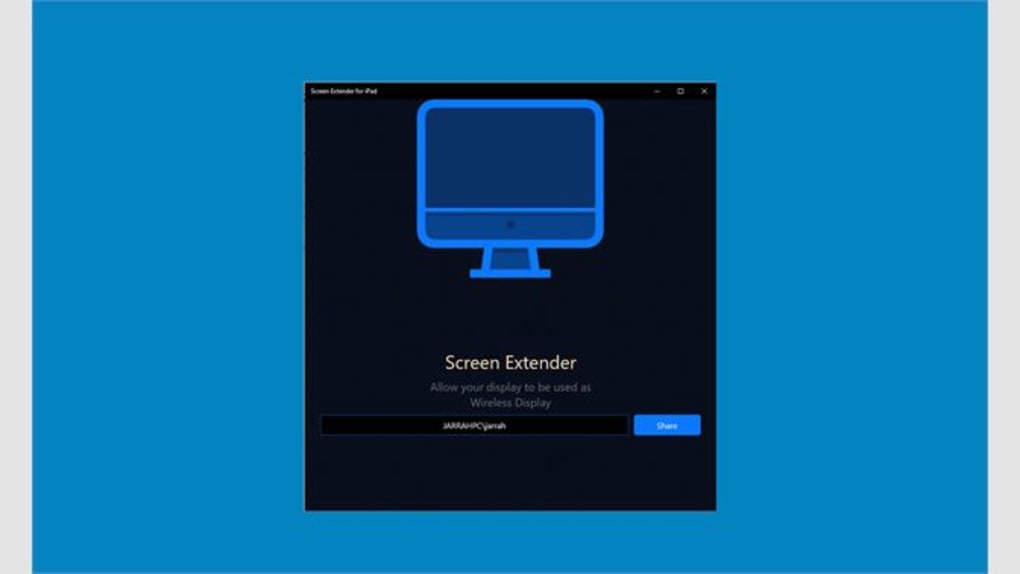
Getting started with Screen Extender to iPad is straightforward and requires no technical expertise. First, download the software from the official website—available for Windows, Mac, Android, and iOS devices. The installation process is quick, typically taking less than two minutes. Once installed, launch the app on your primary device (PC or Mac), and then open the companion app on your iPad. Both devices must be connected to the same Wi-Fi network, and the app will automatically detect the available devices. After pairing, you’ll see your iPad appear as an extended display option in your system’s display settings. Simply drag and drop your desktop or application windows onto the iPad screen. The app supports full screen mirroring as well as extended display modes, giving you the flexibility to choose based on your needs. For example, you can mirror your laptop screen during a presentation or extend it to access additional tools and documents. Additional features include customizable resolution settings, brightness and contrast adjustments, and the ability to set your iPad as the primary or secondary display. The app also includes a built-in screen saver mode that activates when idle, helping to conserve battery life. For users managing multiple devices, the app allows you to save different display configurations for various scenarios—work, home, travel, or meetings. Security is a top priority, with end-to-end encryption for all data transmitted between devices. This ensures that your sensitive files and screen content remain private, even on public networks. The software is lightweight and runs efficiently in the background without slowing down your system.Key Features of Screen Extender to iPad
- Wireless screen extension over Wi-Fi with low latency
- Support for Windows, Mac, Android, and iOS devices
- Portrait and landscape display orientation support
- Multi-touch gesture compatibility (pinch, swipe, zoom)
- Automatic device detection and pairing
- Customizable resolution and brightness settings
- End-to-end encryption for secure transmission
- Lightweight background operation with minimal resource usage
- Save multiple display profiles for different use cases
- Free to download and update regularly for new features
Compatibility & System Requirements for Optimal Performance
When choosing a screen extension tool, compatibility is crucial. Screen Extender to iPad excels in this area, supporting a wide range of operating systems and devices. The software is fully compatible with Windows 10 and later versions, macOS 10.15 (Catalina) and newer, Android 8.0 and above, and iOS 12.0 and later. This broad compatibility makes it a top choice for users with mixed-device environments. For the iPad, the app works seamlessly on iPad models from the 5th generation onward, including iPad Air, iPad Pro, and iPad mini. The latest versions of the app are optimized for A12 Bionic and newer chips, ensuring smooth performance and fast response times. On the computer side, the software requires at least 2 GB of RAM and a stable Wi-Fi connection with a minimum speed of 10 Mbps for best results. The app is designed to work efficiently even on older hardware, thanks to its lightweight architecture. It uses minimal CPU and memory resources, so you won’t notice a performance drop while using other applications. Additionally, the software is compatible with both 2.4 GHz and 5 GHz Wi-Fi bands, allowing you to choose the most stable connection for your setup. For users with multiple iPads or devices, the app supports simultaneous connections, letting you extend your screen to more than one tablet at once. This is particularly useful for team collaboration or multi-monitor setups in creative studios. The app also includes a troubleshooting guide and customer support portal for any issues during setup or usage.Pros and Cons of Screen Extender to iPad
Pros:
- Free to download and use with no hidden fees
- Works across Windows, Mac, Android, and iOS platforms
- Wireless connection eliminates cable clutter
- Low latency and high responsiveness for smooth performance
- Supports touch gestures and multi-display setups
- Secure with end-to-end encryption
- Regular updates ensure compatibility and bug fixes
- Easy to set up and intuitive interface
Cons:
- Requires a stable Wi-Fi connection for optimal performance
- Performance may degrade on older or low-end devices
- Some advanced features are locked behind a premium upgrade (limited free version)
- Not ideal for gaming due to slight input delay
- Occasional pairing issues on networks with strict firewalls
Frequently Asked Questions (FAQ)
Is Screen Extender to iPad free to download?
Yes, Screen Extender to iPad is completely free to download and use. The core features like wireless screen extension, multi-touch support, and secure connections are available at no cost. While a premium version offers additional tools like custom themes and advanced settings, the free version is powerful enough for most users.
Can I use my iPad as a second screen for my Android phone?
Yes, Screen Extender to iPad supports Android devices. Simply install the app on your Android phone or tablet, connect to the same Wi-Fi network as your iPad, and pair the devices. You can then extend your Android screen to your iPad for a larger workspace.
Does the software work on older iPads?
Yes, Screen Extender to iPad works on iPad 5th generation and later, including iPad Air, iPad Pro, and iPad mini models. However, for the best experience, we recommend using devices with A12 Bionic chip or newer for smoother performance.
Can I use Screen Extender to iPad with a projector?
While the app is primarily designed for extending to iPads, you can use it in combination with a smart projector that supports screen mirroring. Connect your iPad to the projector via AirPlay or HDMI, then use Screen Extender to mirror your computer screen to the iPad, which is then projected.
How secure is the connection between devices?
Screen Extender to iPad uses end-to-end encryption to protect all data transmitted between devices. This ensures that your screen content, files, and personal information remain private, even on public Wi-Fi networks. No third party can intercept or access your data.
Conclusion: Upgrade Your Workflow with Screen Extender to iPad
If you're looking for a reliable, secure, and free way to extend your screen to an iPad, Screen Extender to iPad is one of the best tools available. Its cross-platform support, intuitive interface, and strong performance make it ideal for remote workers, students, and creatives who need more screen space. Whether you're giving a presentation, editing photos, or managing multiple projects, this app enhances your productivity without breaking the bank.
Download Screen Extender to iPad today and transform your iPad into a powerful second screen—no cables, no hassle, just seamless connectivity.
Guides & Tutorials for Screen Extender to iPad
How to install Screen Extender to iPad
- Click the Preview / Download button above.
- Once redirected, accept the terms and click Install.
- Wait for the Screen Extender to iPad download to finish on your device.
How to use Screen Extender to iPad
This software is primarily used for its core features described above. Open the app after installation to explore its capabilities.
User Reviews for Screen Extender to iPad 0
No reviews found





